

KantiGo Data Packet Receiver
Receive live scoreboard data from KantiGo ProEX over your local network. Portable, simple, and ready for broadcast graphics and data integration.
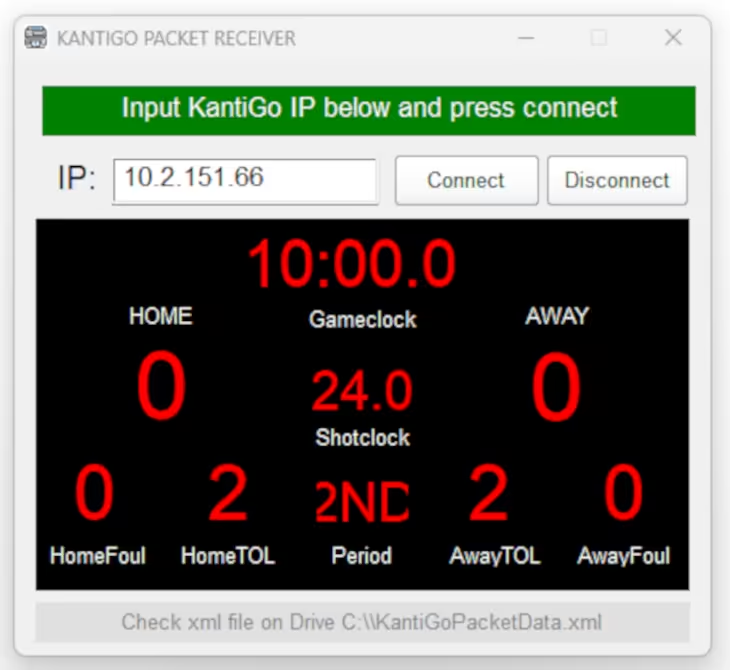
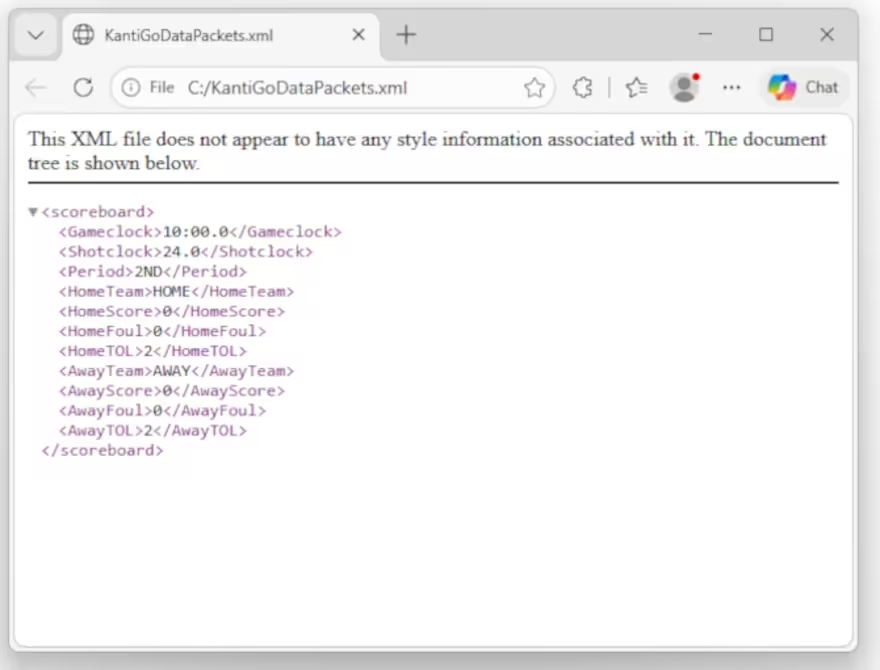
KantiGo Data Packet Receiver is a lightweight portable application designed to receive live scoreboard data from KantiGo ProEX over the local network. It allows a remote computer to connect to the main KantiGo scoreboard system and automatically save real-time scoreboard information into an XML file for integration with graphics systems, overlays, data workflows, and other external applications.
The receiver captures key scoreboard data including game clock, shot clock, period, home team name, home score, home fouls, home timeouts left, away team name, away score, away fouls, and away timeouts left.
Download the App
Download the KantiGo Data Packet Receiver portable application — no installation required.
Open the App
Open the portable app on the remote or connected computer. No setup wizard, just launch and go.
Enter the IP Address
Enter the IP address of your KantiGo ProEX system in the provided field.
Press Connect
Press the Connect button. The software will immediately begin receiving live scoreboard data.
XML File Generated Automatically
Live scoreboard data is automatically saved to an XML file on the connected computer — ready for your graphics or integration system.
KantiGo Data Packet Receiver makes it easy to bring live scoreboard data into another computer without installing a complex system.
Portable & Lightweight
No installation required. Just download, open, and connect. Works on any Windows computer on the same network.
Live Data Over Network
Connects directly to KantiGo ProEX over your local network and streams real-time scoreboard data instantly.
Broadcast Ready
Ideal for broadcast graphics, live production overlays, and third-party applications that need real-time scoreboard data.
Easy Integration
Outputs a clean XML file that any graphics system, data workflow, or custom application can read directly.
Download the portable tool, open it, enter IP address, and press Connect to start receiving live data. Free forever.
Download for Free